
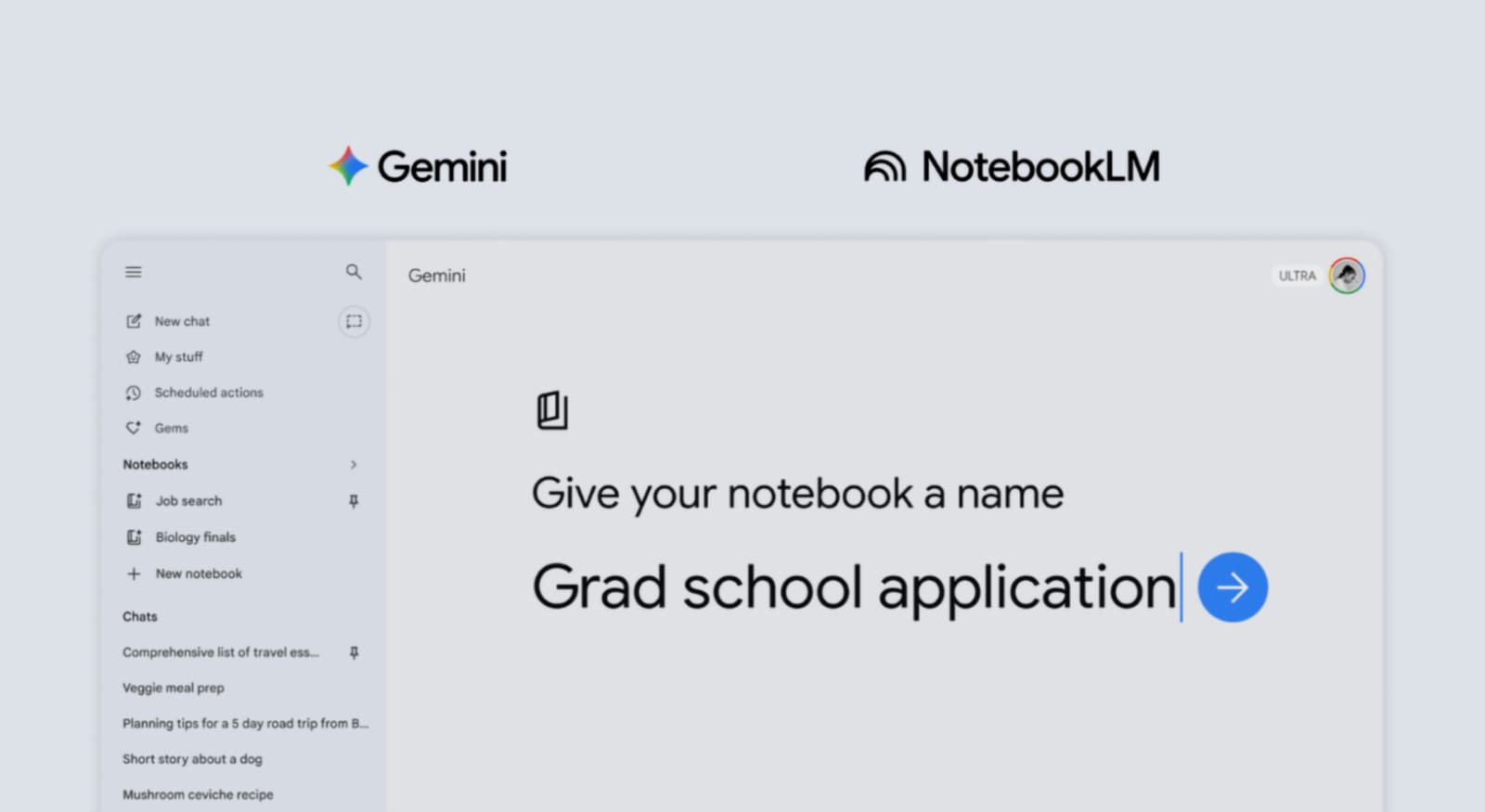
Google Gemini’s New Notebooks Feature helps organize work better. Users can manage topics without losing important information. This feature uses NotebookLM technology inside the Gemini system.
It creates personal knowledge bases for every project easily. Users can study, plan, and revise using this feature. It connects tools and improves the overall research experience greatly.
Related Article: Google Finally Allows Users to Change Their Gmail Account Username
Key Takeaways:
- Keeps chats, files, and research together easily.
- Syncs with NotebookLM for better learning tools.
- Rolling out now with more access coming soon.
Google Gemini’s New Notebooks Feature Overview
Each notebook stores related chats, files, and research together. Users can create notebooks directly from the Gemini side panel. They need to add a name for each notebook.
An Add sources option helps include useful information quickly. Users can import text or previous Gemini conversations easily.
- Notebooks work like personal knowledge bases for users.
- Everything stays organized inside a single topic space.
- Users can manage multiple notebooks for different projects.
This setup helps users focus better on each topic. It reduces confusion and saves time during research work. Users can build strong and clear project structures easily.
Related Article: Google Enhanced Maps with Gemini-Powered Ask Maps Feature
Feature’s Integration
Sources added in Gemini appear inside NotebookLM automatically. This syncing keeps information updated across both platforms.
Users can access extra features like video overviews easily. They can also use infographics for a better understanding of topics.
- Sync works both ways between Gemini and NotebookLM.
- Users can start notebooks on either platform easily.
- All data remains connected without extra effort needed.
This connection improves the learning and research experience greatly. Users can explore ideas using advanced tools without issues. It helps create deeper insights and better project outputs.
New Notebooks Feature’s Availability
The feature is available on the web for paid subscribers currently. These include AI Plus, Pro, and Ultra plan users.
Workspace and Education accounts cannot access this feature currently. Users under eighteen years old also cannot use it.
- Google plans to add free users very soon.
- Mobile version support will also arrive soon.
- The feature helps with studying, research, and exam revision tasks.
This feature is similar to the ChatGPT Projects tool. That tool also stores chats and files together easily. Both features help users build organized knowledge bases quickly.
Related Article: How to use Google Maps new Gemini and ask maps feature
The End Note
Google Gemini’s New Notebooks Feature improves project organization and brings chats, files, and research into one place. The feature uses smart syncing with NotebookLM tools efficiently.
Access is limited now, but it will expand very soon. Mobile support will also improve usability for many users. Overall, it is a helpful tool for productivity.
For the latest tech news, follow Hogatoga on Twitter, Facebook, and Google News. For the latest tech-related videos, subscribe to our YouTube Channel and Newsletter.











good