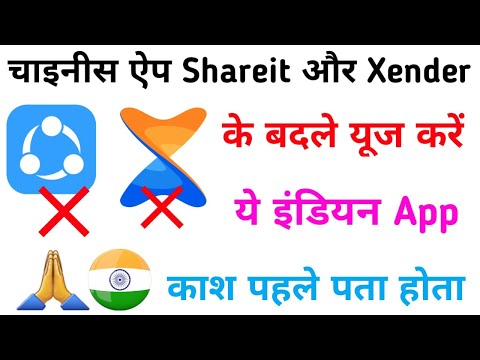
by Reliance Retail Ltd, while Google Files is developed by Google. Both apps help users transfer photos, videos as well as documents easily. They are categorized as file-sharing apps.
At first glance, these apps catch your attention with their clean interface. The promise of secure file sharing stands out. Users generally rate both apps positively on app stores. Many appreciate their user-friendly design and privacy focus.
Importance of JioSwitch and Google Files
JioSwitch and Google Files are essential for safe file sharing. They offer an Indian alternative to popular Chinese apps like Shareit and Xender. These alternatives help users avoid concerns related to privacy and security. Users can share data without compromising personal information.
Key Features
Main Features
JioSwitch: This app allows users to share files without ads. It supports a wide range of file types. The transfer process is fast and efficient.
Google Files: This app not only helps share files but also cleans up storage. It provides suggestions to free up space on your phone. It can remove junk files and manage media.
Unique Selling Points
JioSwitch emphasizes user privacy and secure sharing. Google Files offers additional functionality, like storage management. These unique features set them apart from similar apps.
Comparison to Similar Apps
Unlike Shareit and Xender, JioSwitch and Google Files prioritize user safety. They do not track or misuse personal data. The navigation is simple and intuitive in both apps.
Design Appeal
Both apps have a visually appealing design. Their themes are clean and modern. Users can navigate them easily, enhancing the overall experience.
Responsiveness and Fluidity
Both apps respond quickly and fluidly during use. Users rarely experience lag or crashes. They maintain a stable performance, making file transfers smooth.
Speed and Stability
File transfers with JioSwitch and Google Files are quick. Users often report high-speed data transfer. Both apps show stability, even during large file transfers.
Battery and Data Consumption
These apps use minimal battery and data. Users can share files without worrying about high consumption. They are efficient and practical for daily use.
Pricing and Value for Money
Both JioSwitch and Google Files are free to use. There are no hidden fees or subscription costs. Users get excellent value for money with these apps.
Pros & Cons
Pros
- Easy to use with a clean interface.
- Prioritizes user privacy and data security.
- Fast file transfer speeds.
- No ads in JioSwitch.
- Additional storage management in Google Files.
Cons
- Limited advanced features compared to some competitors.
- May not support all file types in JioSwitch.
How to Use This App
To use JioSwitch, open the app after installation. Grant necessary permissions to access media files. Choose the files you want to share and select the recipient.
For Google Files, open the app and navigate to the files. Use the share option to send files to other users. Explore the app to manage and clean your storage.
Conclusion
Overall, JioSwitch and Google Files are excellent for secure file sharing. They are user-friendly and prioritize privacy. I recommend these apps for anyone needing a reliable file-sharing option. They are especially suitable for users who value privacy and efficiency.
Final Rating: Both apps deserve a solid rating of 4.5 out of 5 for their features and performance.