
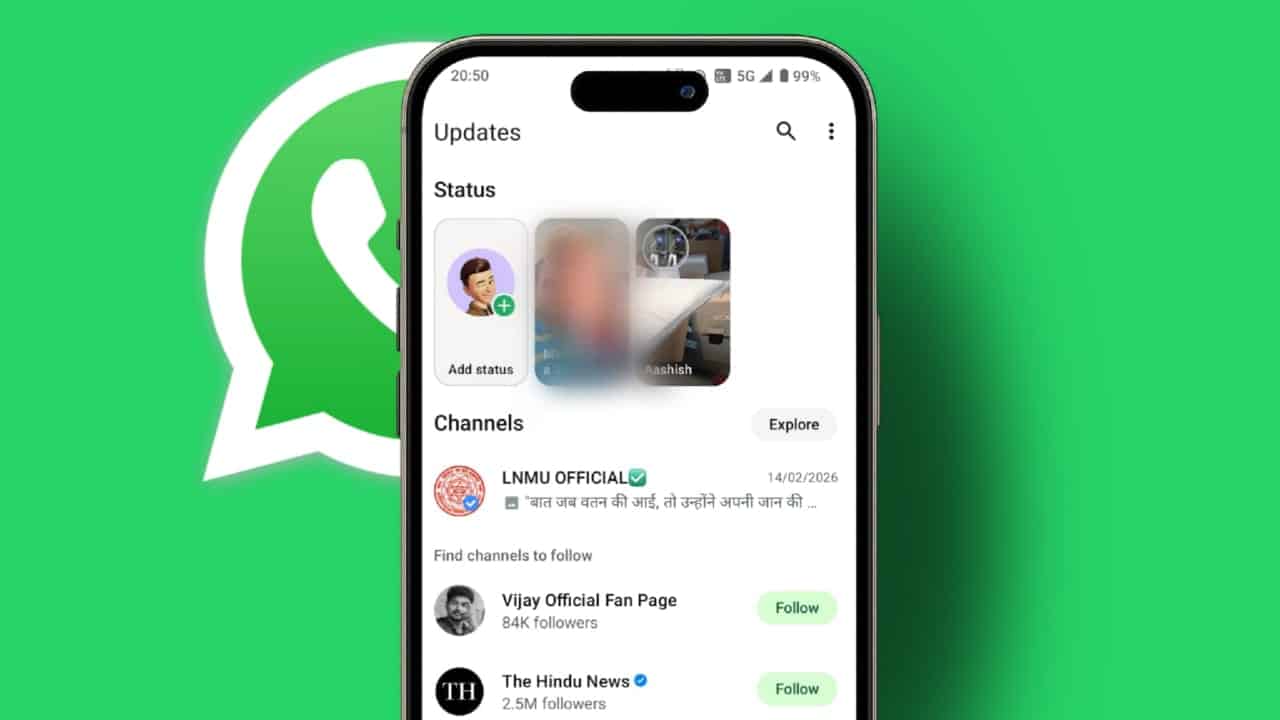
Viewing WhatsApp Status Without Being Seen is easy with Unplix.com. Many users want more privacy control. WhatsApp Status works like social stories. It allows sharing photos, videos, and text. Status remains visible for 24 hours.
After that, it disappears automatically forever. When you open someone’s status, they know. Your name appears inside their viewer list. Sometimes you want secret viewing options.
View WhatsApp Status Without Being Seen with Unplix.com
WhatsApp Status lets users share updates. These updates include text and media. You can upload photos and videos. You can also share animated GIF files. It feels similar to the Instagram Story feature. It also works like the Snapchat Stories section.
Status stays active for 24 hours. After one day, it vanishes automatically. When someone views your status, you see. You can check who viewed updates. However, viewers can hide using tricks.
Important note about online status. Online status shows active time only. It is different from the Status feature.
Method 1: Half Swipe Trick
The half swipe trick is a simple method. It works on Android and iPhone. You must perform it carefully.
Follow these steps carefully below:
- Open the WhatsApp application first.
- Go to the Updates or Status tab.
- Open any view or official status.
- Slightly swipe left or right.
- Do not release your finger.
- View next status partially.
- Swipe back before lifting your finger.
If done properly, it stays unseen. The green circle remains around that status.
Limitations of the half swipe trick:
- It needs steady finger control.
- It may fail sometimes unexpectedly.
- It works poorly with multiple statuses.
If someone posts many statuses, the preview becomes difficult. You must practice carefully for success.
Method 2: Turn Off Read Receipts
This method is the most effective solution. It works on Android, iPhone, and computers. Read receipts show message read confirmation. They also control status view tracking.
Follow these steps to disable the feature:
- Open WhatsApp Settings menu.
- Tap the Account option carefully.
- Select the Privacy settings section.
- Turn off the “Read Receipts” toggle.
After disabling it, you can view it secretly. Your name will not appear inside the list.
Important things to remember here:
- You cannot see your viewers.
- You cannot see the message read status.
- Do not enable receipts too early.
Wait until the status disappears completely. Status vanishes after 24 hours. If you enable it early, your name appears.
Method 3: Check WhatsApp Status Files
This method works only on Android. Android stores status media locally. The hidden folder keeps images and videos. Text statuses are not stored here.
Follow these simple steps carefully:
- Open the File Manager application.
- Tap three dots for options.
- Open Settings inside the file manager.
- Enable Show hidden system files.
- Search for the WhatsApp folder.
- Open the Media folder inside WhatsApp.
- Find a folder named “.Statuses”.
Inside this folder, you see files. These include images and video statuses. You can open them without notification.
Sometimes the folder shows no media. This happens when two accounts are used. Switch WhatsApp account to refresh files. Then the media may appear correctly.
This method allows anonymous viewing. It does not notify the status owner.
Extra tip for downloading discreetly:
- Open WhatsApp/Media/.Statuses folder.
- Copy the desired image or video.
- Save the file to another folder.
- Or disable receipts, then screenshot.
Both methods help save secretly.
Method 4: View WhatsApp Status Offline
This method uses an offline mode technique. It works on Android and iPhone. It requires careful step execution.
WhatsApp stores viewed data in cache. If online, the server updates immediately. Offline prevents instant notification.
Follow these two main steps.
- Load and Disconnect Internet.
- Clear WhatsApp Cache.
1. Load and Disconnect the Internet
- Open the WhatsApp application first.
- Let all statuses load properly.
- Enable Airplane Mode quickly.
- Or disable WiFi and mobile data.
- Stay completely offline now.
- Open the desired status safely.
Because the phone is offline, the server cannot update instantly.
If the status is not visible offline:
- Force-stop the WhatsApp application.
- Reopen the app while still offline.
- This loads cached status information.
2. Clear WhatsApp Cache
After viewing, clear the stored cache. This prevents delayed updates later.
For Android users:
- Long-press the WhatsApp icon.
- Tap the App Info option.
- Select the Storage section carefully.
- Tap the Clear Cache button.
For iPhone users:
- Open the Settings application.
- Tap the General option next.
- Select the iPhone Storage section.
- Choose WhatsApp from the list.
- Tap the Offload App option.
After clearing the cache, reconnect to the internet. You can now use WhatsApp normally.
This method is slightly complex. But it works properly if done correctly.
Using Privacy Settings
WhatsApp gives privacy control options. You can control who sees the status.
Follow these steps carefully below:
- Open WhatsApp Settings menu.
- Tap the Account option available.
- Select the Privacy section inside the Account.
- Find the Status privacy area.
- You will see three main options:
- My Contacts.
- My Contacts Except.
- Only Share With.
My Contacts allows all saved contacts. My Contacts Except blocks selected people. Only Share With allows chosen contacts. Choose an option based on your needs. This helps manage personal updates carefully.
How to Check Who Viewed Your Status with Unplix
WhatsApp allows checking the viewers’ list. Steps are slightly different by device.
For iPhone users:
- Open the WhatsApp application first.
- Go to the Updates tab section.
- Tap your posted Status update.
- Scroll down to the Views section.
- Tap Views to see the list.
For Android users:
- Open the WhatsApp application.
- Go to the Status tab directly.
- Tap your posted Status.
- Swipe up from the bottom.
- Tap the Views section to check.
Important privacy note here:
If someone disables the read receipts, they stay hidden. Their name will not appear there.
Using Third-party Apps with Unplix
WhatsApp does not officially allow secret viewing. However, some third-party tools claim you can view WhatsApp status without being seen.
One example is the WeLastseen application. It claims to track online activity. It also claims status monitoring features.
Such apps usually provide dashboard access. They allow viewing current and expired statuses.
Simplified steps used in the app:
- Open the Status Tracker section.
- Tap the Add Contacts option.
- Enter target contact details.
- Tap the Start Tracking button.
- Link your WhatsApp account.
- Access the monitoring dashboard screen.
- Review current and expired statuses.
- Tap the Download icon to save.
These tools claim expired status access. They also offer download features.
Always use such tools responsibly. Respect privacy and local regulations.
Extra Tips for WhatsApp Status Users
WhatsApp Status feature is a powerful tool. It helps share daily life updates.
You can post text, photos, and videos. You can also post animated GIFs. It disappears automatically after 24 hours.
You can see who views updates. But viewers can hide using methods.
Best discreet saving method for Android:
- Open the hidden “.Statuses” folder.
- Copy files before they expire.
Best discreet method for both devices:
- Disable read receipts first.
- View the status safely afterward.
- Take a screenshot if necessary.
- Always remember the privacy balance. Respect others while protecting yourself.
As We Conclude
View WhatsApp Status Without Being Seen is possible with Unplix.com. Many safe manual methods exist. The half swipe trick works carefully. Disabling read receipts is most effective. Android’s hidden folder gives anonymous access.
Offline viewing with cache clearing helps. Privacy settings provide full control. Tracking apps also claim extra features. Always respect digital privacy rules. Use these methods wisely and responsibly.
For the latest tech news, follow Hogatoga on Twitter, Facebook, and Google News For the latest tech-related videos, Subscribe to our YouTube Channel and Newsletter.









Fiee fire Redeem code
WhatsApp wallpepar
Nice