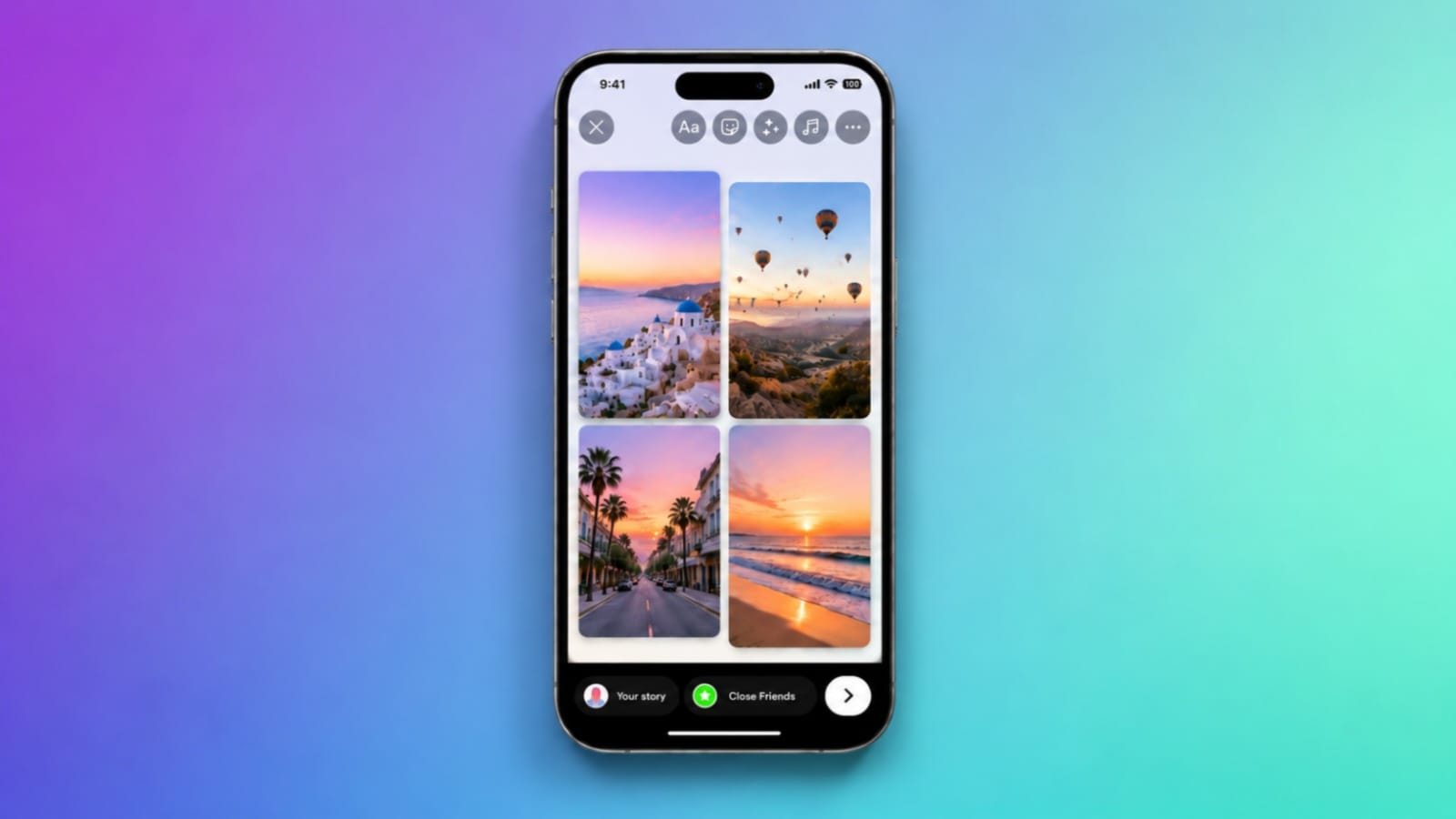
One image cannot always convey everything clearly. Multiple photos create better stories and engagement on Instagram.
This feature helps brands, creators, and businesses. It also makes content more creative and attractive.
Key Takeaways:
- Multiple photos make Stories more engaging.
- Layering, Layout, and Upload methods work.
- Stickers and links improve Story performance.
Put Multiple Photos in an Instagram Story and Increase Engagement
Instagram Stories offer many useful creative features. Users can add stickers, music, filters, and text. Stories disappear after 24 hours automatically. This creates urgency among followers and viewers.
You can upload several photos at once. Instagram allows up to 10 photos together. Videos can also be included easily. Each selected item becomes a separate Story frame.
Using multiple Story frames offers several benefits.
- Keeps viewers watching for longer periods.
- Helps brands stand out from competitors.
- Shows products from different viewing angles.
- Creates stronger audience interest and curiosity.
- Improves overall Story completion rates.
Many users discover brands through Instagram Stories. Brand Stories often receive strong viewing completion. More Story frames can increase audience attention.
To improve engagement, add interactive elements often.
Use Poll Stickers
Poll stickers encourage audience participation naturally. Label photos with simple options or choices. Ask viewers which image they prefer most.
Use Quiz and Emoji Stickers
Quiz stickers create fun learning experiences. Emoji sliders allow quick audience reactions. These features help Stories gain better engagement.
Use Question Stickers
Question stickers invite direct audience responses. Followers can share opinions and feedback. This improves communication with your audience.
Add DM and Link Stickers
DM stickers encourage private conversations quickly. Link stickers send visitors to websites. Businesses can promote bookings, products, or subscriptions.
Using Layering
The layering method offers maximum creative freedom. It allows several photos inside one frame.
Follow these simple steps:
- Open Instagram and create a Story.
- Select your main background photo.
- Tap the sticker icon above.
- Choose the photo gallery sticker.
- Select another image from the gallery.
- Repeat for additional photos.
Each image can be resized easily. Photos can also be rotated freely. Instagram offers different image shapes, too. Create circles, hearts, stars, and more.
You can also add text and GIFs. Filters and drawings improve the appearance further. This method works well for creative storytelling.
Using the Upload Feature
This method creates separate Story slides automatically. It works perfectly for larger photo collections.
Follow these simple instructions:
- Open the Instagram Story creator.
- Access your phone gallery.
- Tap the Select option.
- Choose multiple photos and videos.
- Arrange them in preferred order.
- Tap Next to continue.
Each selected image becomes a separate frame. You can edit every frame individually. Add captions, filters, stickers, and music.
Videos can also be included easily. Story video clips can be up to 60 seconds. Viewers may watch, pause, or skip frames.
You can even add different songs. Each frame may contain unique music. This creates a better viewing experience.
Using Layout Tool
The Layout tool creates professional photo collages. It works best for product showcases.
Follow these easy steps:
- Open the Instagram Story creator.
- Select the Layout feature.
- Choose a preferred grid design.
- Add photos from your gallery.
- Fill each grid section carefully.
- Tap the checkmark when finished.
Instagram supports several grid options available. You can create layouts with two photos. Three, four, and six-photo grids work too.
Photos fill the grid sequentially. They appear left to right naturally. If needed, delete the last image. Then replace it with another photo.
After completing the collage, customize everything. Add stickers, text, music, and filters. This method creates clean and organized Stories.
Use Third-Party Apps for More Designs
Sometimes, Instagram tools feel limiting. Many college applications offer advanced templates. These apps provide extra design flexibility. They help create unique Story graphics.
The End Note
Try different options and create better stories. Creative Stories help attract viewers consistently.
For the latest tech news, follow Hogatoga on Twitter, Facebook, and Google News. For the latest tech-related videos, subscribe to our YouTube Channel and Newsletter.