

Every WhatsApp user does the same thing they save any number of one-time uses or we have a contact in our WhatsApp contact list that we don’t need anymore. Or may you have a clutter of contacts that you want to clear from your chat list on WhatsApp, so it is better to delete them.
Today I am explaining to you how you can delete WhatsApp contacts. You have to read this post till the end to learn more about the step-by-step comprehensive guide to deleting contacts on WhatsApp on Android and iOS.
Also, Read WhatsApp working on the Add People and group chats to Lists feature
How to Delete WhatsApp Contact on Android
Deleting WhatsApp contacts on Android requires a few extra steps than on iPhones. But you can do this quickly by following these simple steps on your Android devices.
- You have to open WhatsApp and go to the chat of the contact that you want to delete.
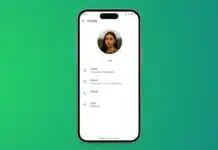
- After this, tap on the contact name at the top of the chat window.
- Tap on the three-dot at the top of the left corner in the profile info section and then tap on the view in address book option.
- You will reach your phone’s contact app once you tap on the view in address book option.
- Tap on the three-dot icon at the top of the right corner of your contact page and tap on the Delete option.
- It will open a confirmation window, you have to tap on the delete option again.
- That WhatsApp contact should instantly be deleted by doing this, with just the number being shown in the conversation on WhatsApp.
- Now, you can delete the WhatsApp chat permanently and block that contact if you want to do this.
Also, Read The WhatsApp Privacy Checkup feature rolling out for Android beta
How to Delete WhatsApp Contact on iOS
The method to delete WhatsApp Contacts on iOS is quite simple as compared to Android. Follow these simple steps to remove WhatsApp Contact on iOS.
- You have to WhatsApp on your iOS device and go to the chat of the contact you want to delete.
- After this, tap on the contact name at the top of the chat conversation window.
- Tap on the Edit icon at the top of the right corner to open the Contact Details info page.
- Now tap on the Delete Contact at the bottom of the edit contact section. And you are Done!
Also, Read WhatsApp working on the Main App Color feature for the Android beta
One of the important things is to note that deleting the WhatsApp contact doesn’t delete your chat history with them. You can still chat with them without showing their name at the very top instead of their name you will see their contact number. However, they are not in your WhatsApp contact list anymore, so they can’t see your last seen, profile picture, or Status updates unless or until you have set your privacy settings for Everyone.
For the latest tech news, follow Hogatoga on Twitter, Facebook, and Google News For the latest tech-related videos, Subscribe to our YouTube Channel and Newsletter.







WhatsApp home screen photo